
Reports that explain your hotel, not just show numbers
Occupancy, ADR and RevPAR compared with last year, pace, booking window, channels and forecast, with charts, goals, alerts and a plain-language summary anyone on the team can understand.
The industry's metrics, with the math in plain sight
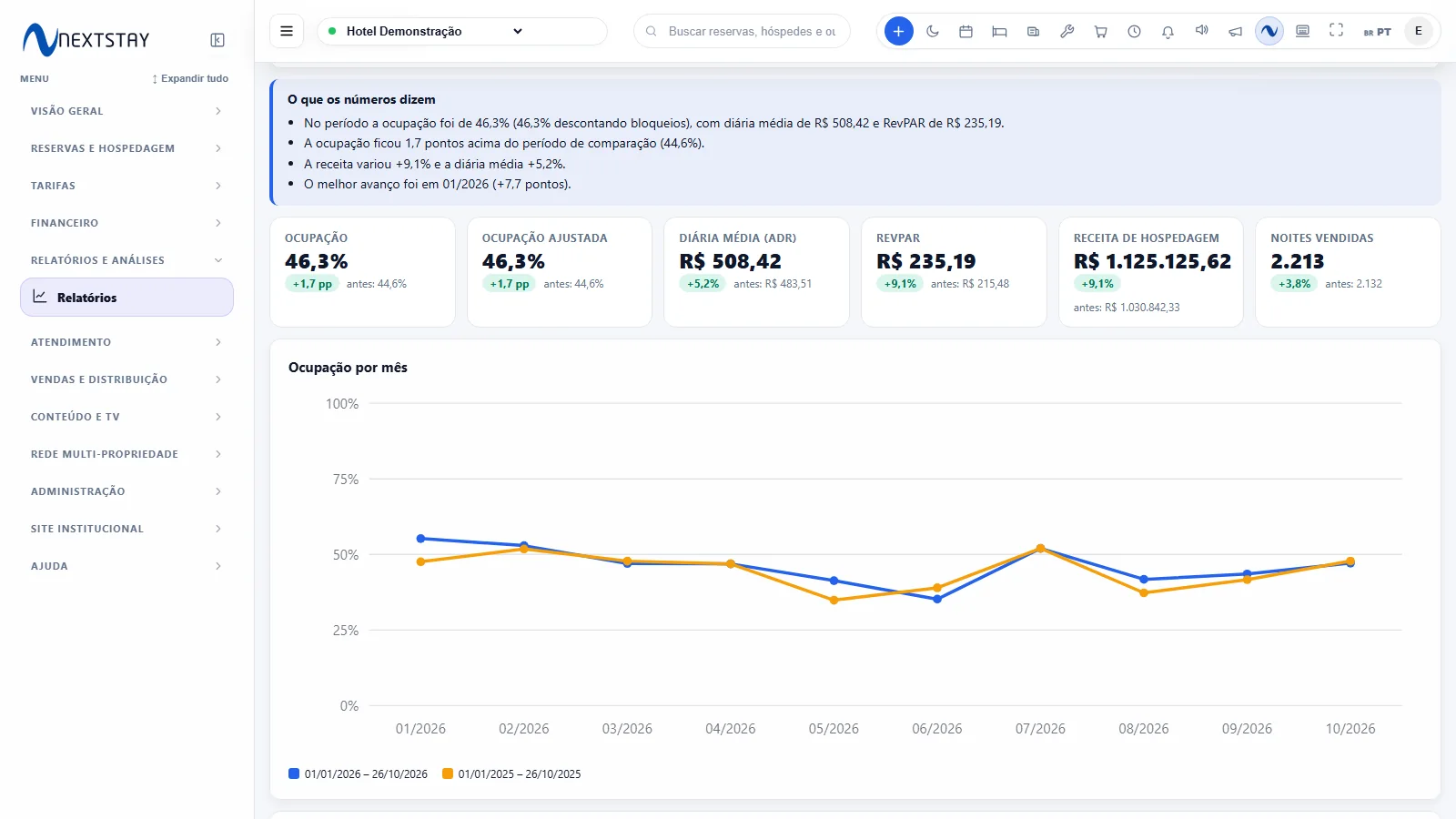
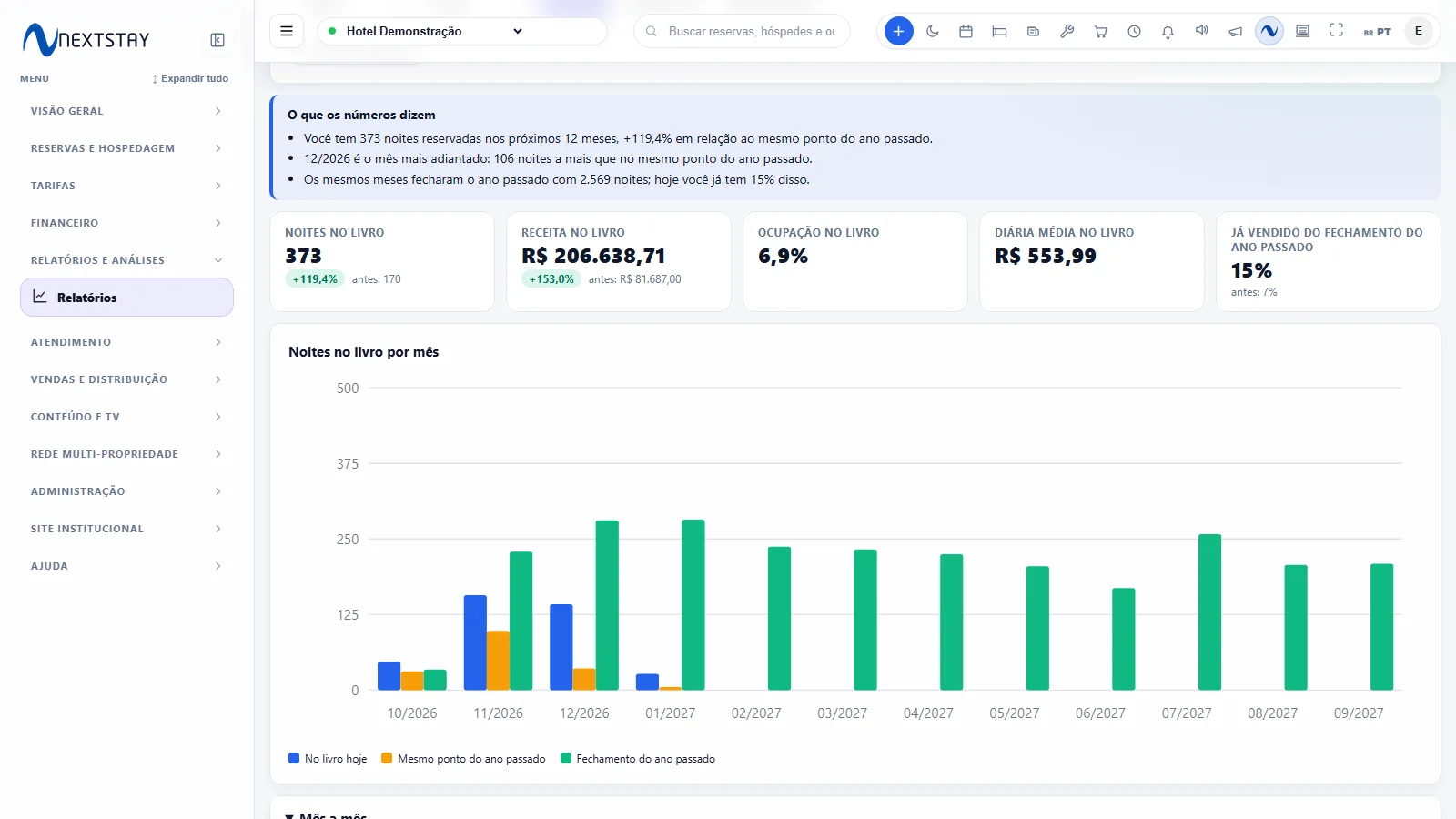
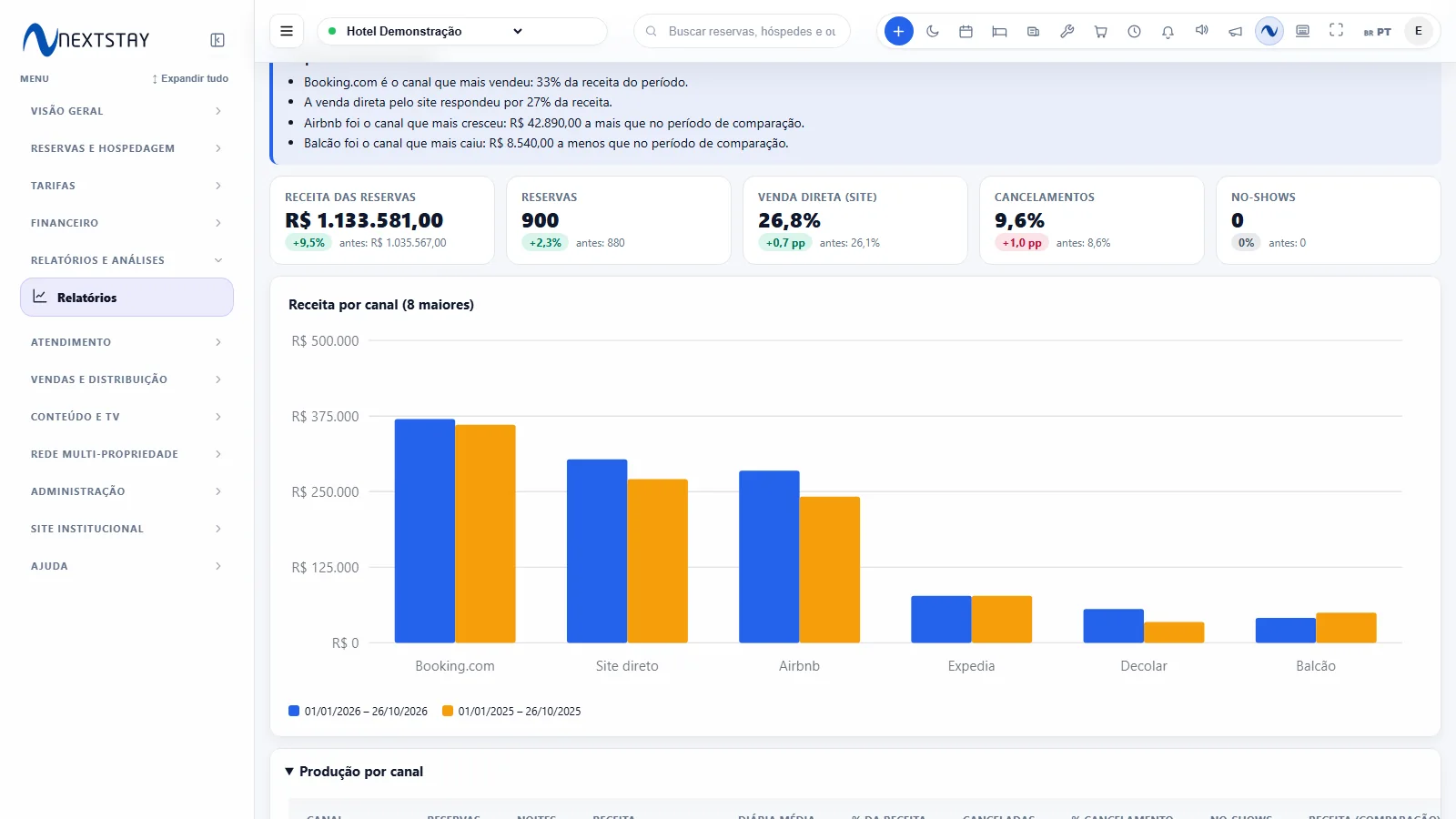
Analyses to decide price, sales and staffing
Each page has cards with the change, a chart, a table, CSV export and a plain-language summary.
Performance
Occupancy, adjusted occupancy, ADR and RevPAR by day, week or month, compared with the same period last year.
Pace
The next 12 months against the same point last year: where you are ahead or behind.
Booking window and length of stay
How far in advance your guests book and how many nights they stay, to tune promotions and minimum stay.
Channels
How much each channel produces in bookings, nights and revenue, the ADR of each, the cancellation rate and the share of direct sales.
90-day forecast
What is already on the books plus last year's booking pace in the same weeks.
Weekday
Which days of the week fill up and which stay empty, so you can price each one.
Categories and units
Performance of each room category and each unit.
Cancellations and no-shows
How much revenue is lost to cancellations and no-shows, month by month and by channel.
Returning guests
Who came back, how many times and the revenue they brought, with no channel acquisition cost.
Calendar gaps
Gaps of 1 to 3 nights between two reservations of the same unit, to sell at a discount or adjust the minimum stay.
To act, not just look
The system tracks your goals and warns you when something is out of the ordinary.
Monthly goals
Set goals for occupancy, ADR and revenue. For the current month you see how many nights are missing and how many per day; a closed month shows whether the goal was met.
Automatic alerts
An almost empty week, nearly full nights, rising cancellations, calendar gaps, a goal at risk and a falling review score, on the daily dashboard.
Summary by e-mail and WhatsApp
Get the key numbers every week or month, from 8 a.m. hotel time, by e-mail and on the WhatsApp of whoever you choose. Totals only, never guest data.
Share the analysis
Send any analysis on WhatsApp with the same filters you are looking at, or print/save it as PDF with the hotel header.
Guest experience
Review scores, time to first response on each request, percentage on time, and the best-selling orders and items.
Favorites and quick periods
Star the reports you use every day and switch the period with one click: today, week, month, year.
A 15-minute weekly routine
-
1
Read the five numbers
Occupancy, ADR, RevPAR, revenue and nights sold for the period.
-
2
Compare with last year
The change shows whether the hotel is doing better or worse than in the same period.
-
3
Check alerts and goals
The daily dashboard already highlights what deserves attention this week.
-
4
Adjust price or promotion
Use pace, day of the week and calendar gaps to decide where to act.
-
5
Get the summary without opening the system
Schedule the e-mail and WhatsApp summary for management and the owners.
Frequently asked questions about reports
Yes, when we import your reservation history. When a period from last year is not reliable for comparison (for example, bulk-imported bookings), the report warns you instead of showing a comparison with no basis.
Only roles with the financial reports permission. Each person sees only the properties released to them.
The hotel's own number, connected to NextStay. Never another hotel's. If WhatsApp is down, the system tries again the next hour without resending the e-mail.
Want to see your numbers in a different way?
We show the analyses with real data from a hotel similar to yours.
Request a demo